Case study
Knit & Go
Mobile App
A community-driven knitting experience designed to help knitters discover patterns, organize projects and connect with others.
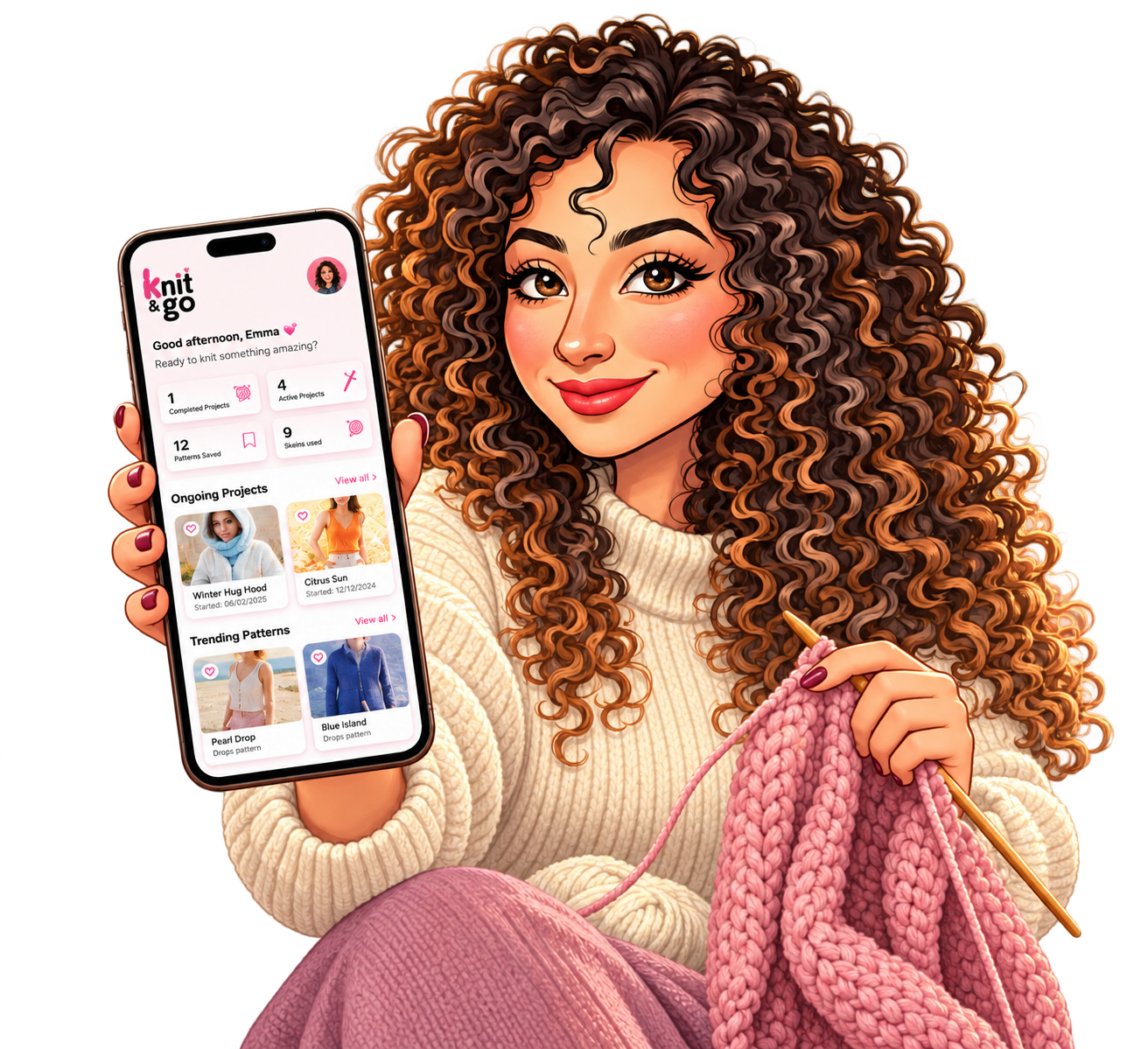
01 / Project overview
An all-in-one space for knitters.
Knitting is more than just a craft — it’s a passion, a skill, and a way to connect with others. However, many knitters face challenges in organizing their projects, learning new techniques, and finding a supportive community.
Knit&Go was born out of a need to create an all-in-one digital space where knitters of all skill levels can:
- Learn new knitting techniques through tutorials and patterns.
- Track their knitting progress with an intuitive project manager.
- Connect with a community of fellow knitters for inspiration.
- Sell and showcase their handmade knitwear in a dedicated marketplace.
To create a user-centered experience, I followed the Double Diamond Design Process.
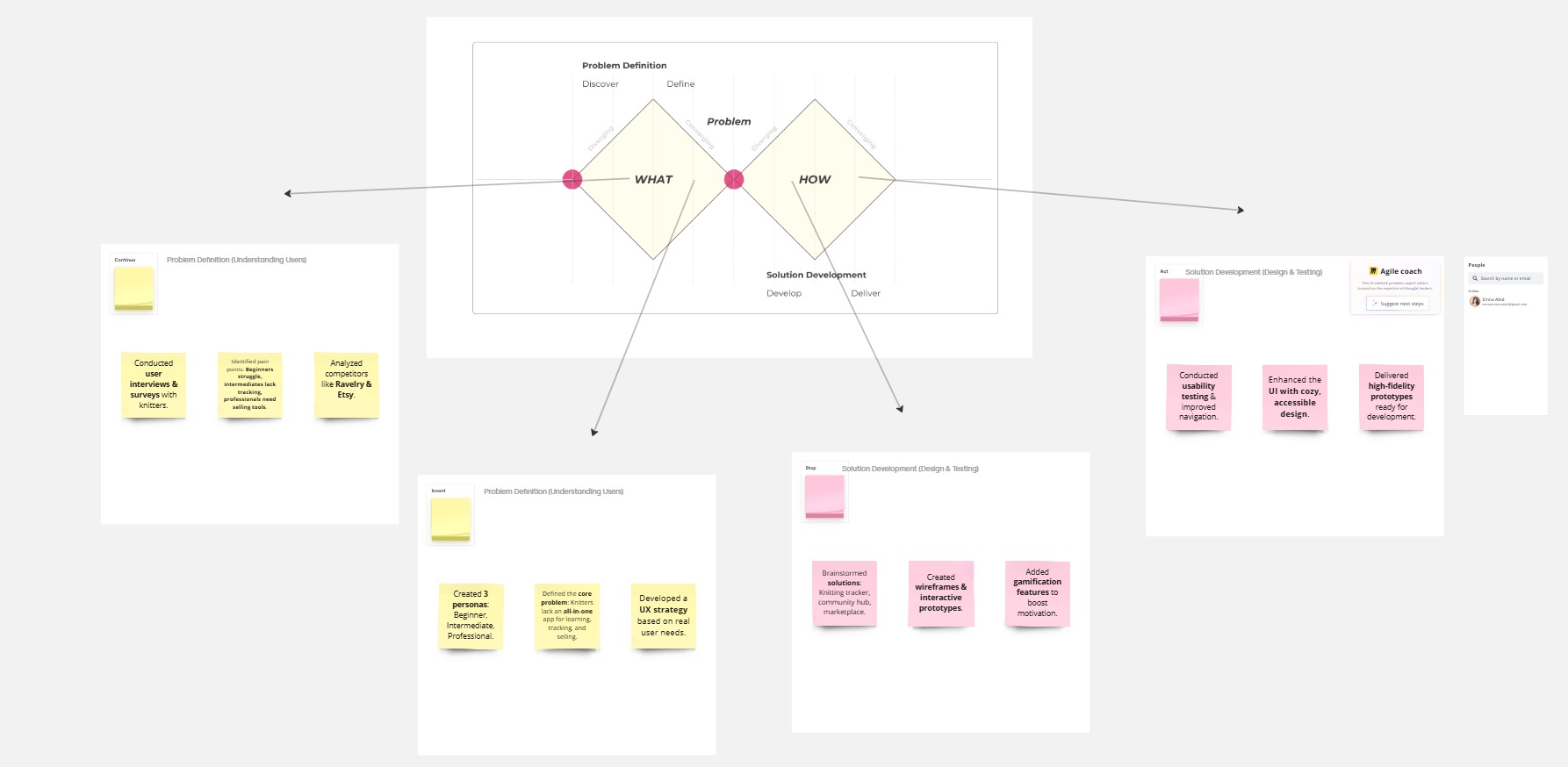
02 / Discover
Research & Exploration
In this phase, I focused on understanding user needs, market trends, and pain points in knitting applications.
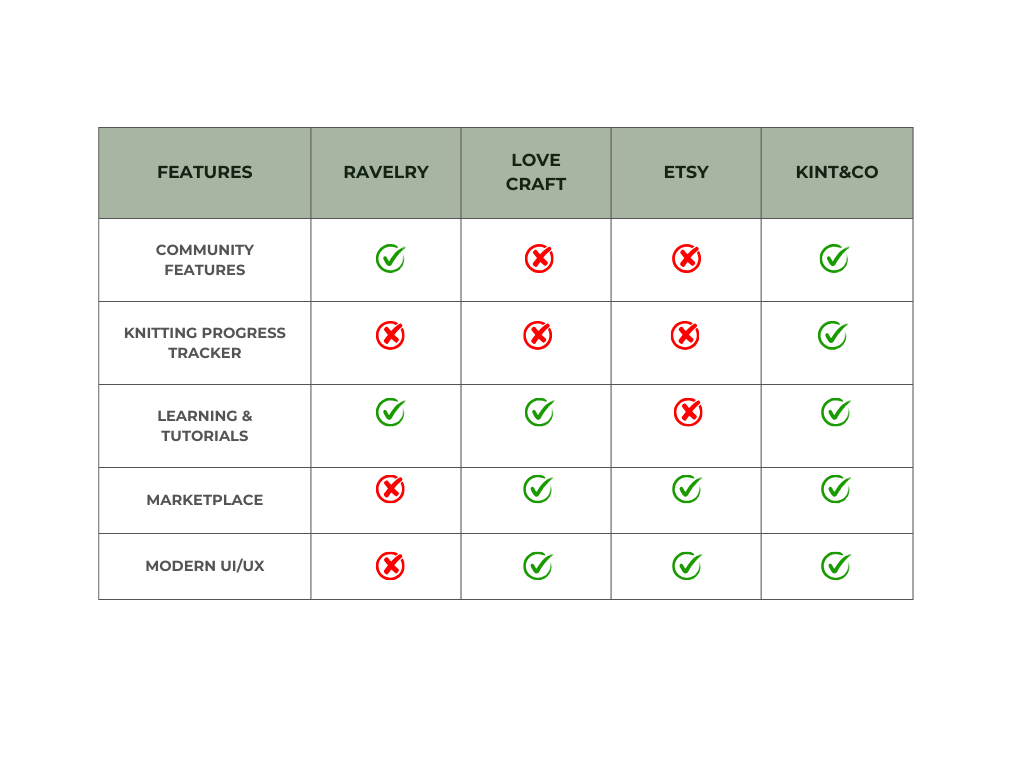
Competitive Analysis
To understand the landscape of knitting applications, I analyzed existing platforms, identifying their strengths, weaknesses, and gaps in the market.
User Interviews
Interviewed 4 users:
- 1Beginner struggling with patterns.
- 2Intermediates needing progress tracking.
- 1Professional looking for a marketplace.
Interview Questions
- How do you currently manage your knitting projects?
- What’s your biggest frustration while knitting?
- How do you find new patterns, and what challenges do you face?
- Do you engage with online knitting communities?
- Would you be interested in tracking progress and earning achievements?
Key Insights
- Beginners feel overwhelmed by complex patterns.
- Intermediates want progress tracking and organization.
- Professionals struggle with visibility in selling their creations.
Affinity Mapping
Research observations were grouped into themes to identify recurring needs, behaviors and frustrations.
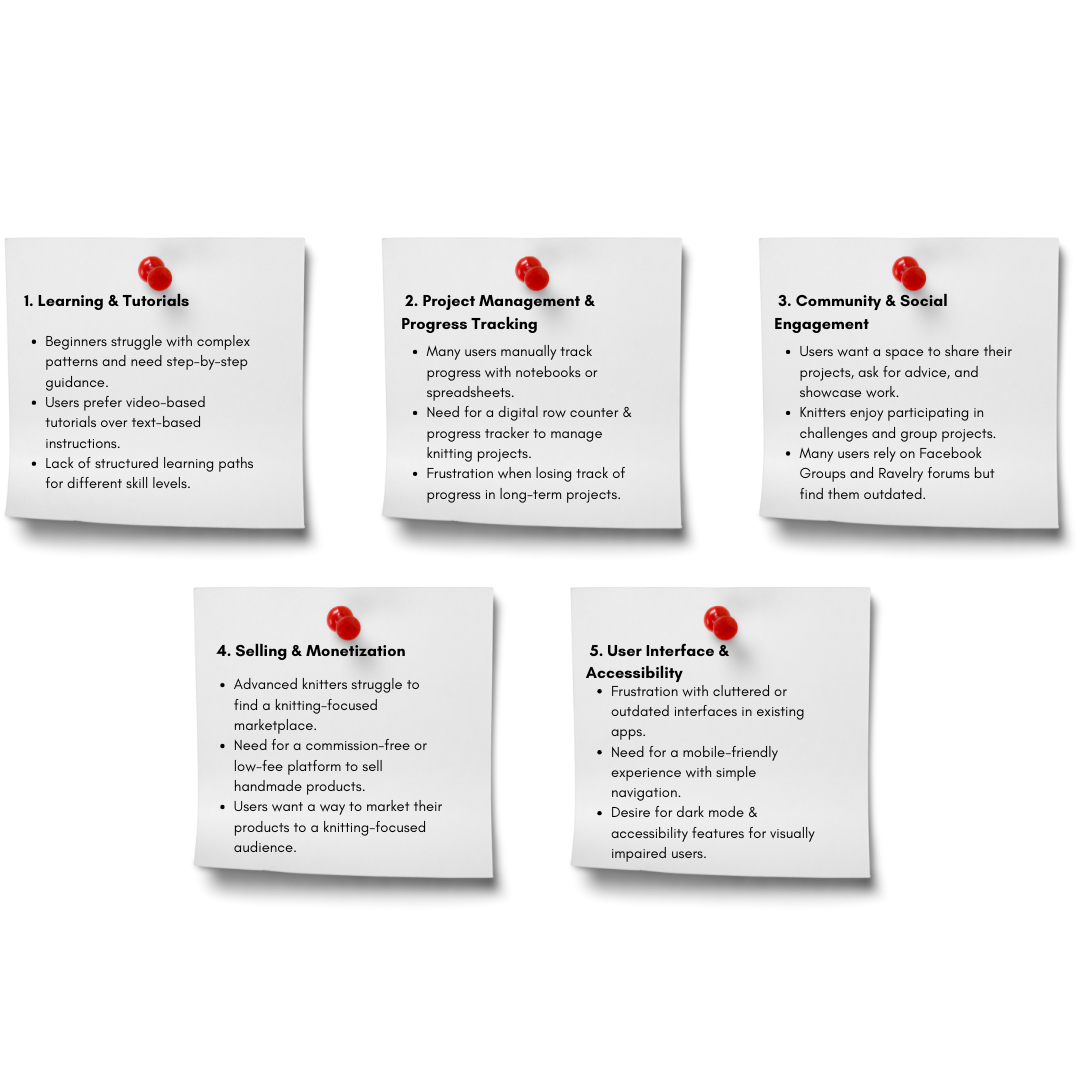
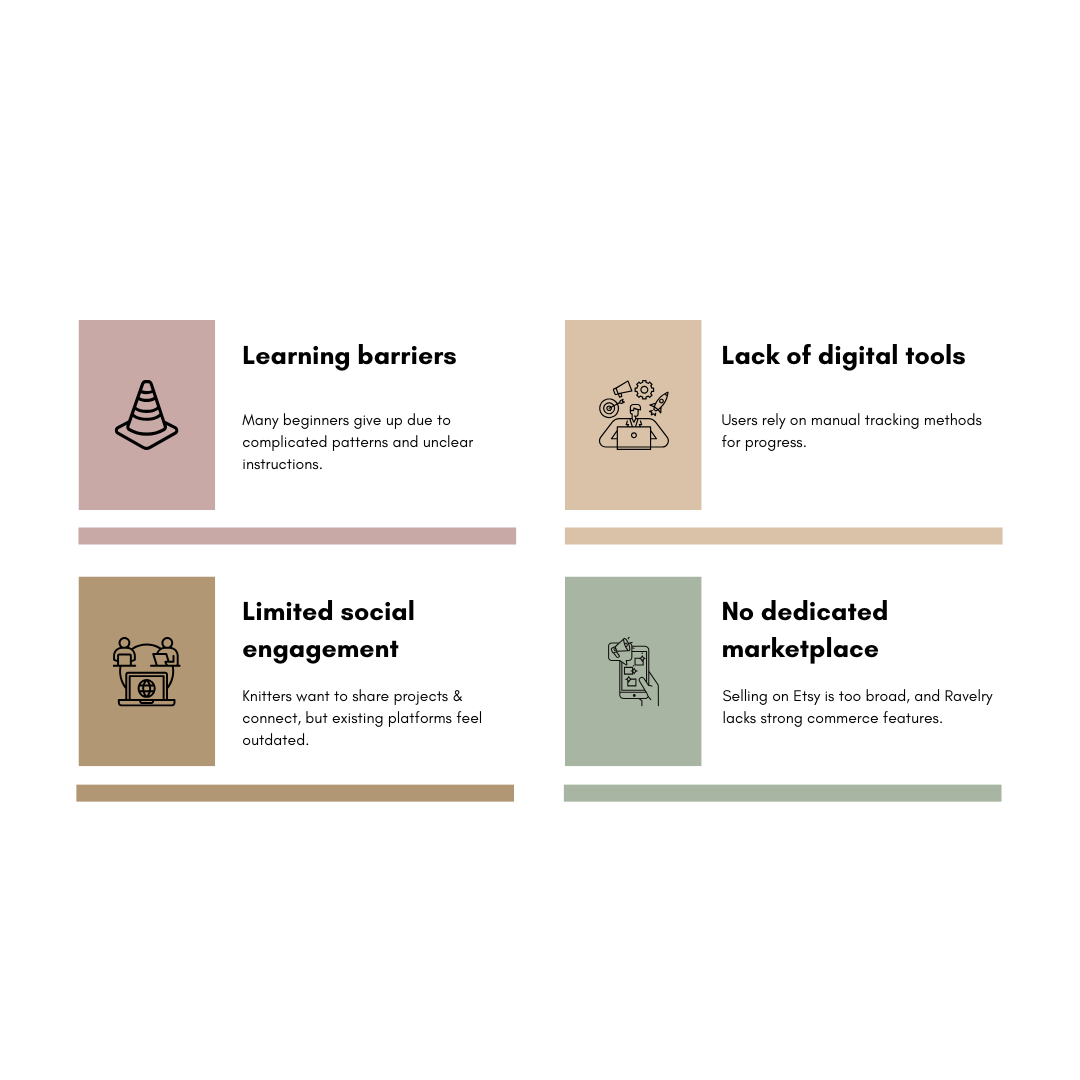
Research Findings
The key frustrations knitters face across the journey.
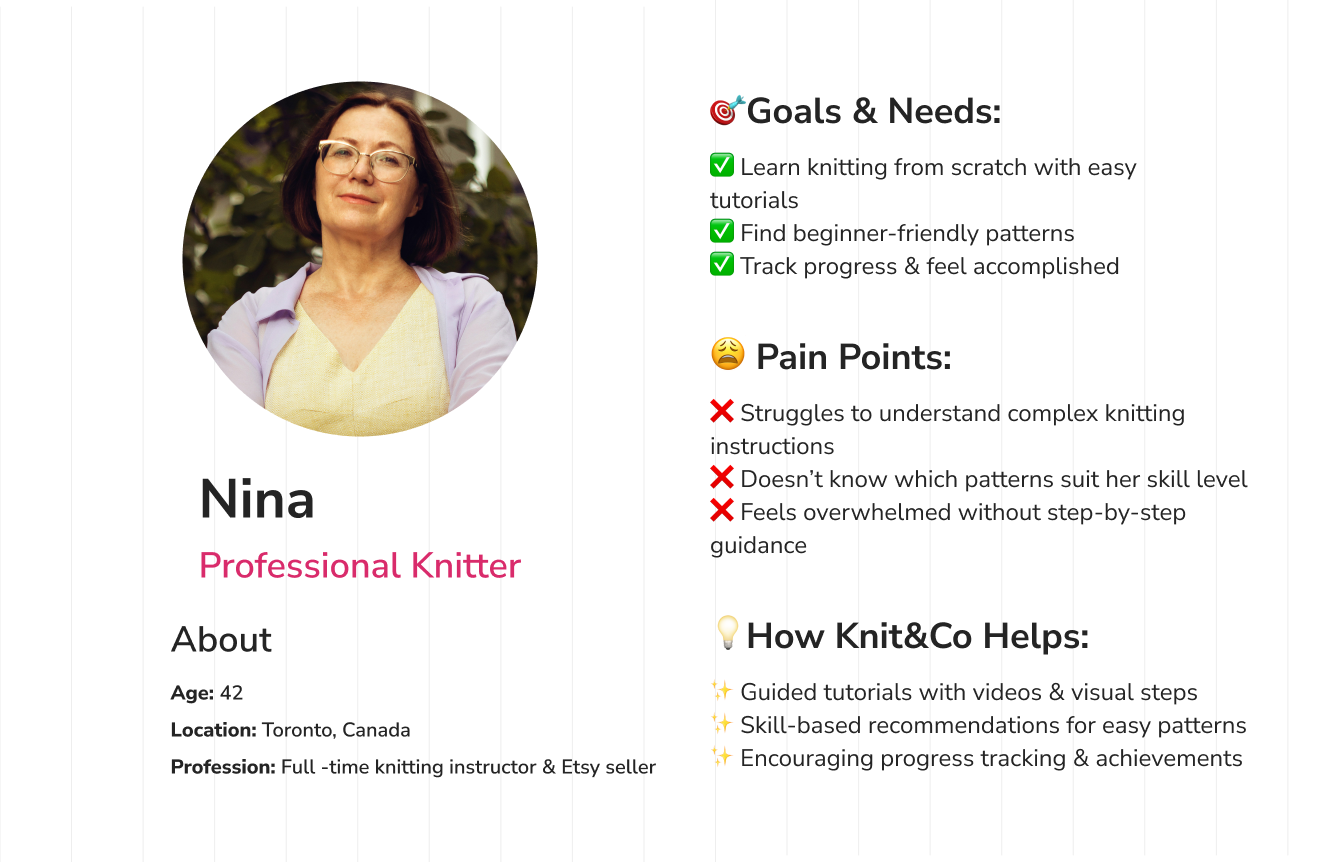
Personas
Three knitting journeys: beginner, intermediate and professional. Select a persona to view the full board.
03 / Define
Problem Definition & Goals
After gathering insights, I defined the core problem statements and user needs.
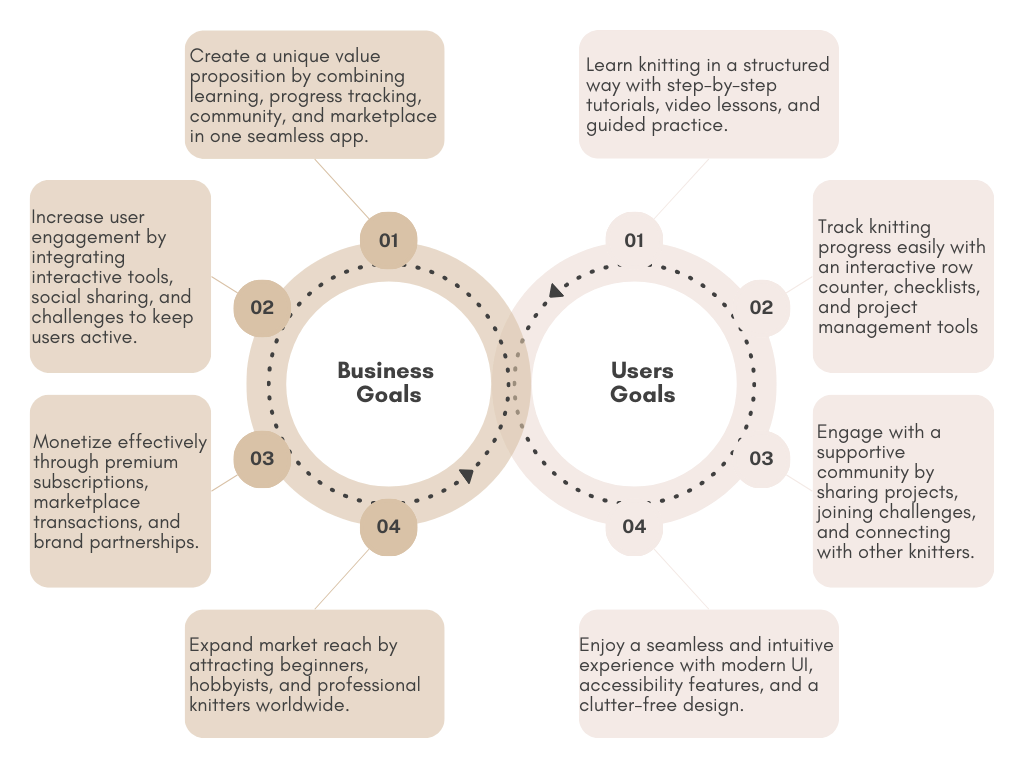
Project Goals
While the business goals primarily focused on attracting a large user base by ensuring the application was intuitive and accessible, my user-centered approach allowed me to gain a deeper understanding of user needs. By identifying key pain points and desires, I was able to align business objectives with real user expectations, creating a seamless experience that benefits both the company and the knitting community.
Problem Definition
Learning, patterns, projects, progress and community live in separate places.
Knitters need a more connected experience that helps them learn, organize their projects, track progress and participate in a supportive community.
04 / Develop
Ideation & Design
After defining the core problem and user needs, I explored features, user flows, wireframes and the visual direction of Knit&Go.
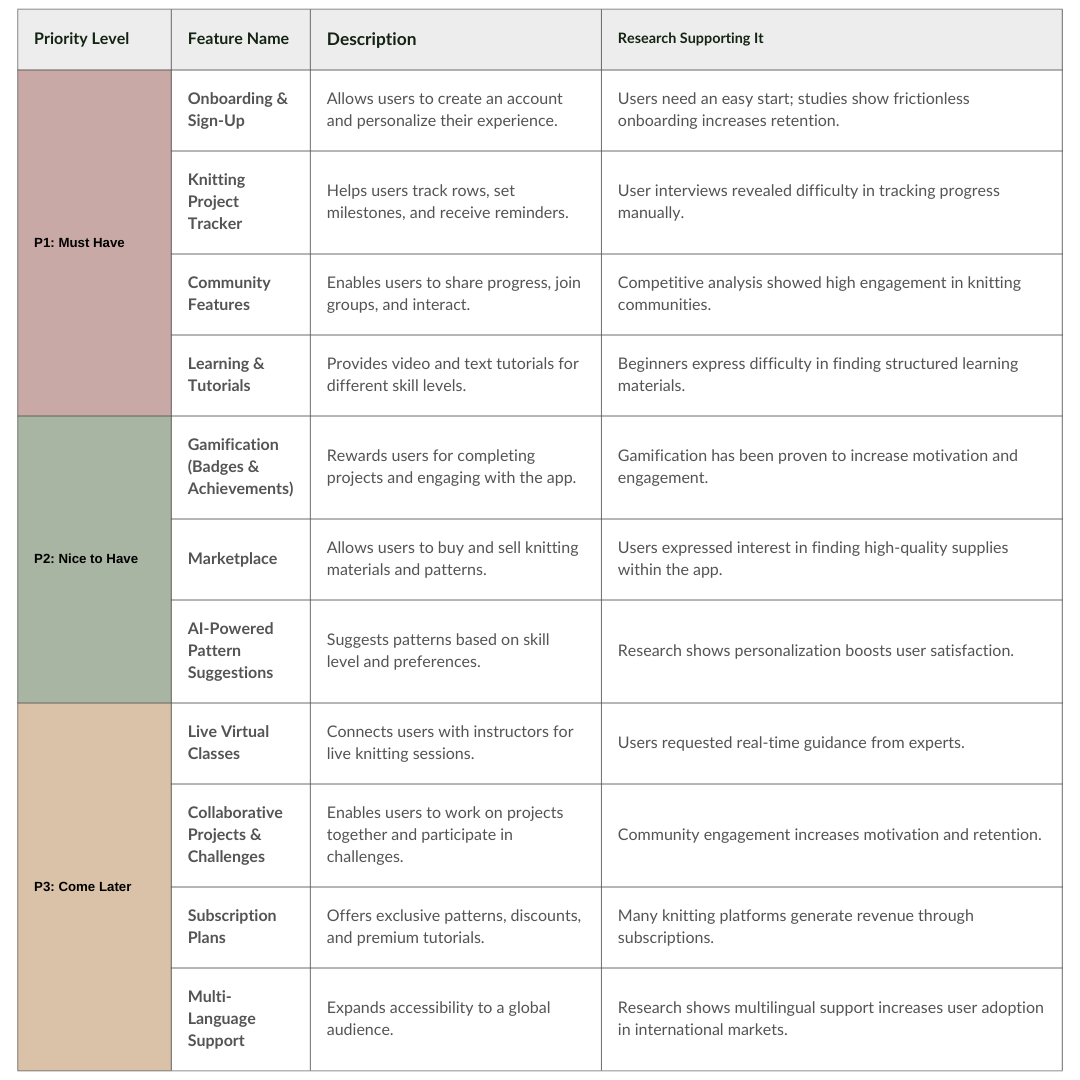
Features Roadmap
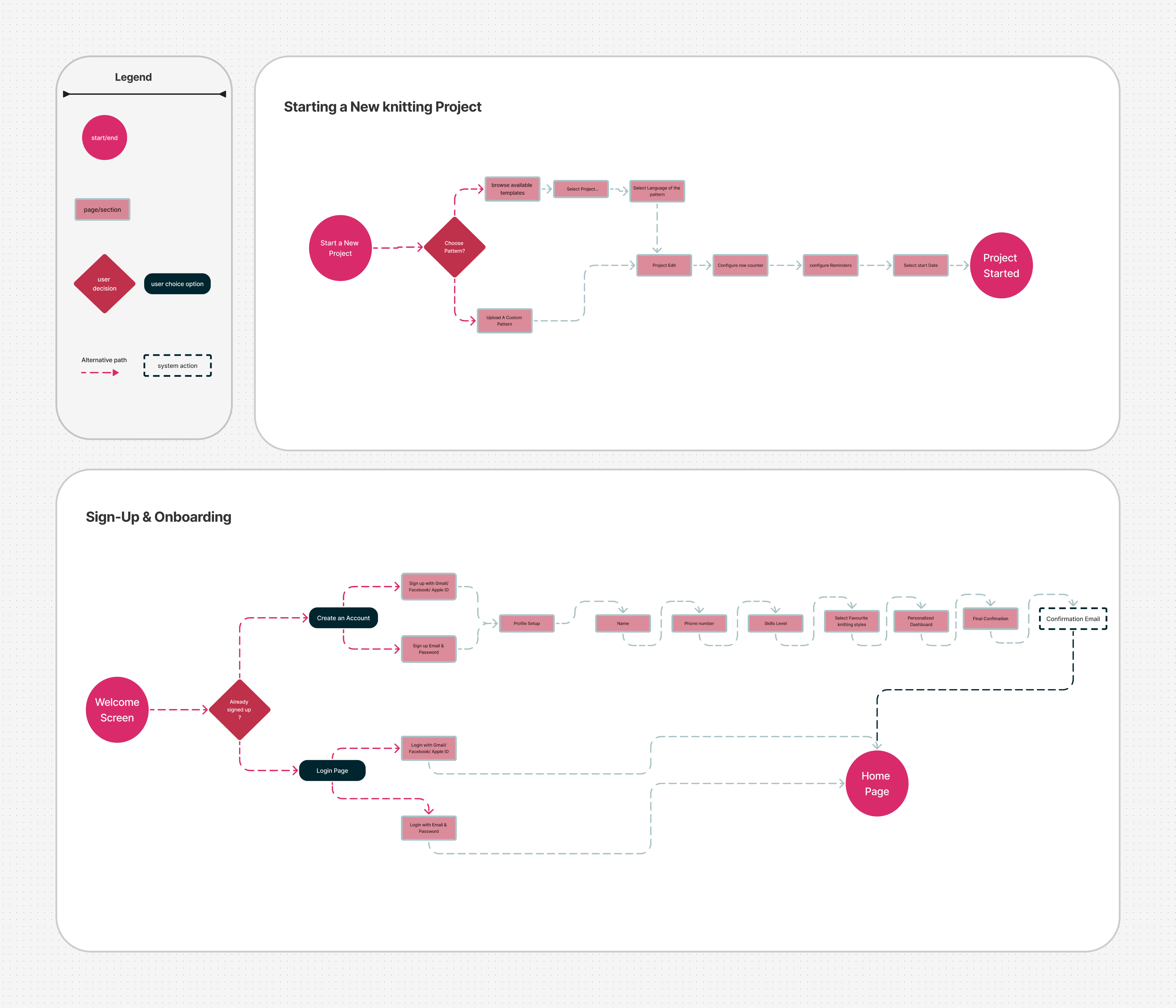
Task Flows
I’ve identified my two user flows:01 Sign-up & Onboarding02 Starting a new Knitting Project
Wireframes
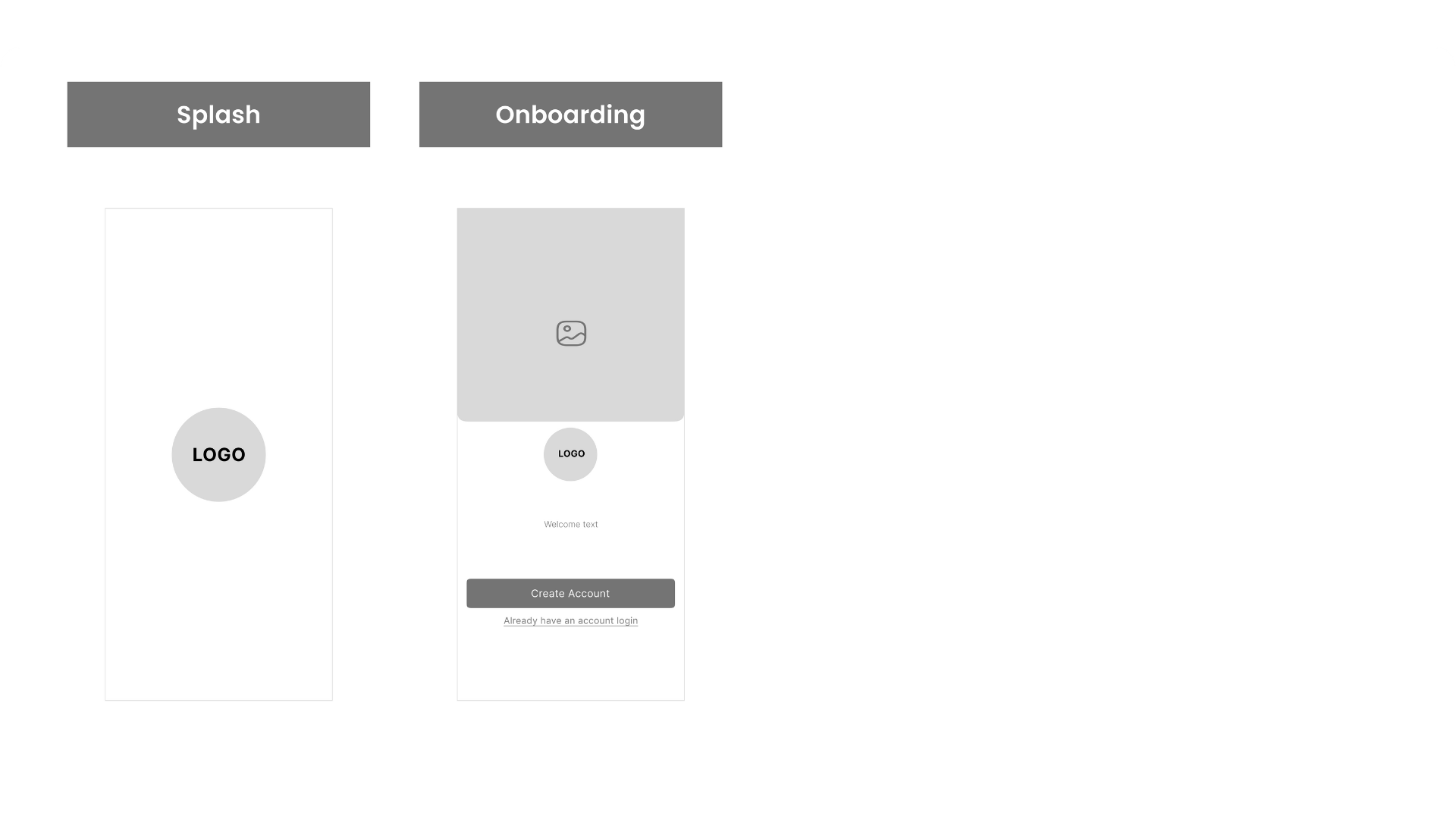
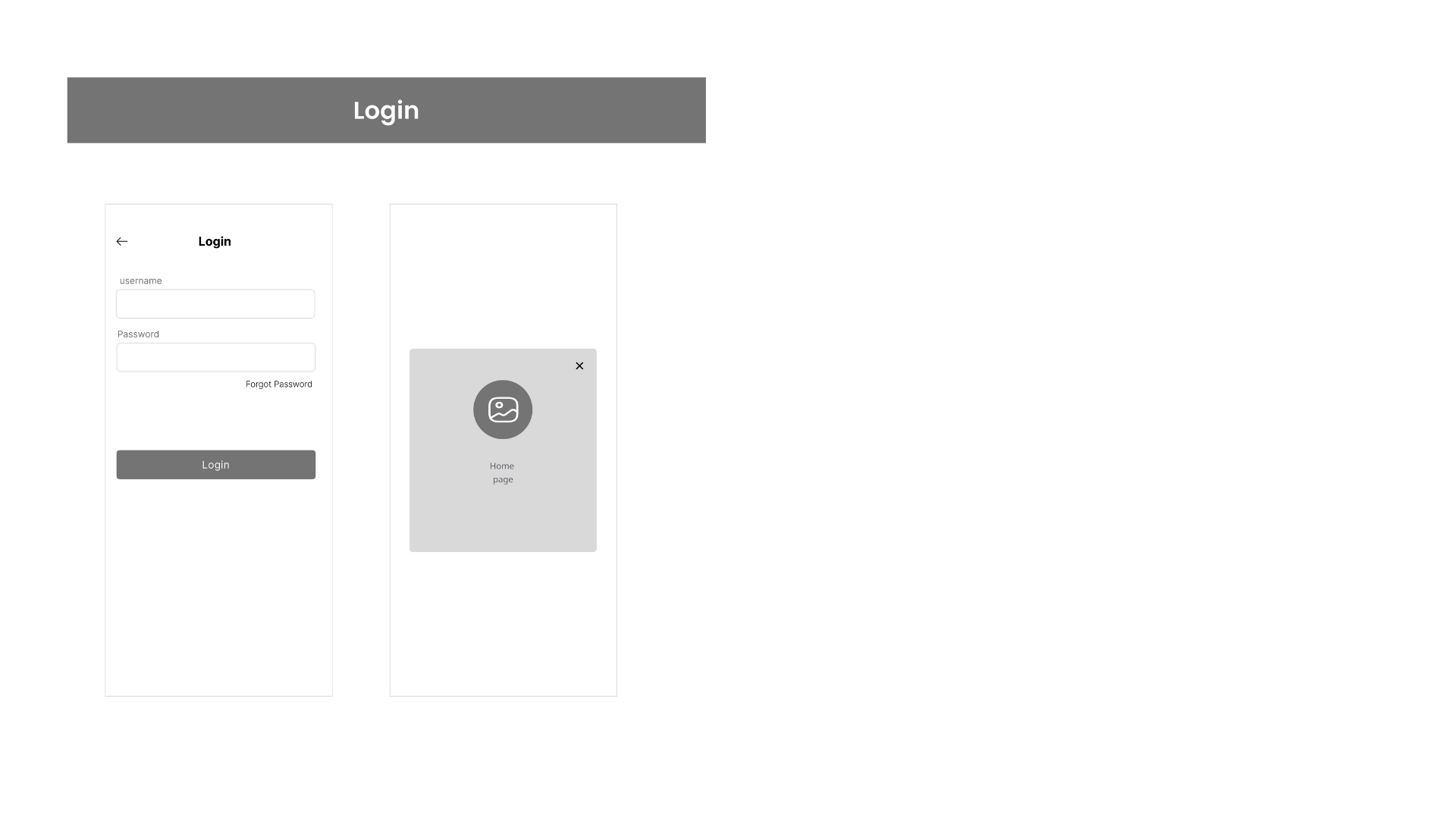
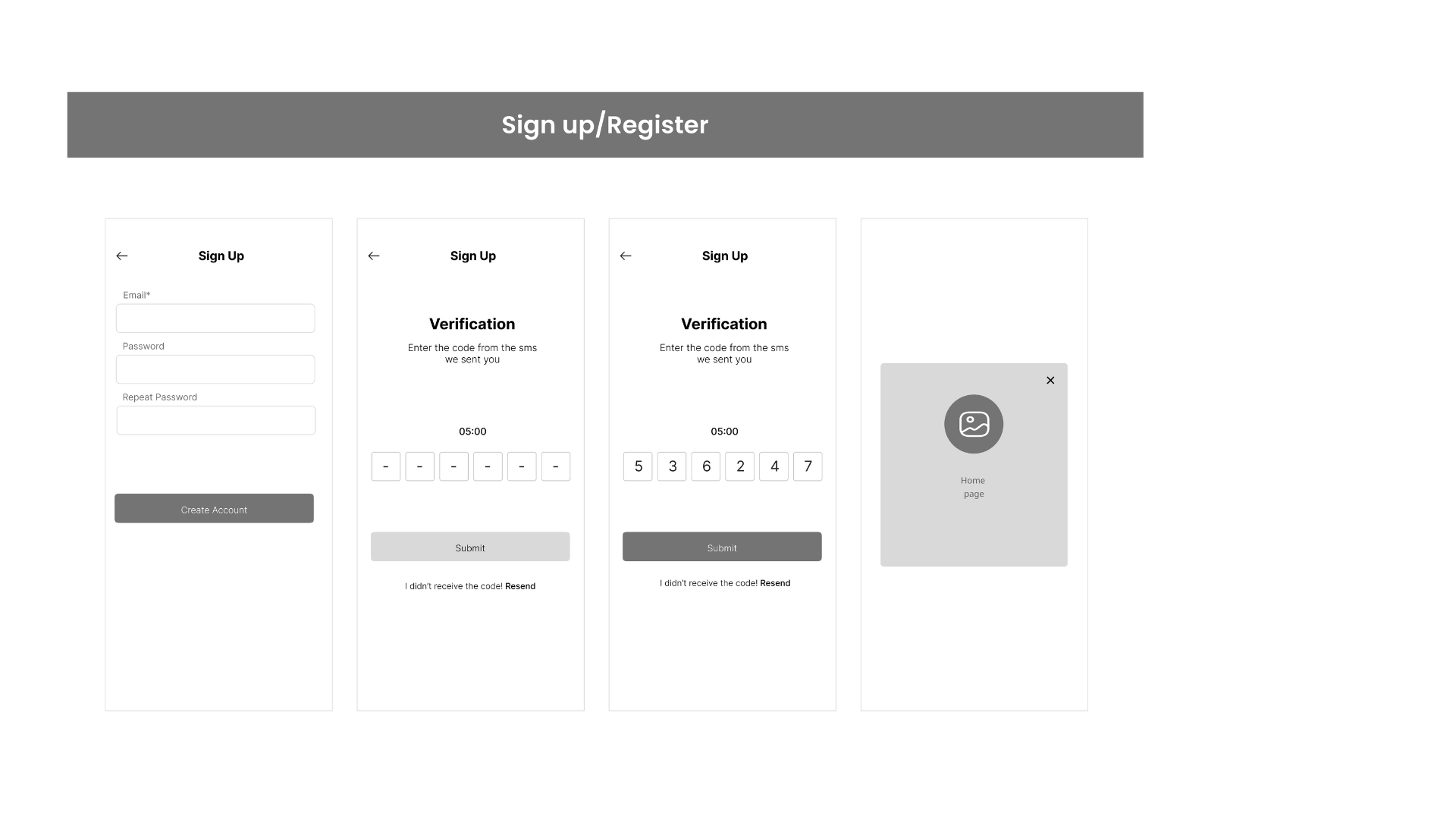
Splash / Onboarding → Login → Sign Up
01 — Splash / Onboarding
02 — Login
03 — Sign Up
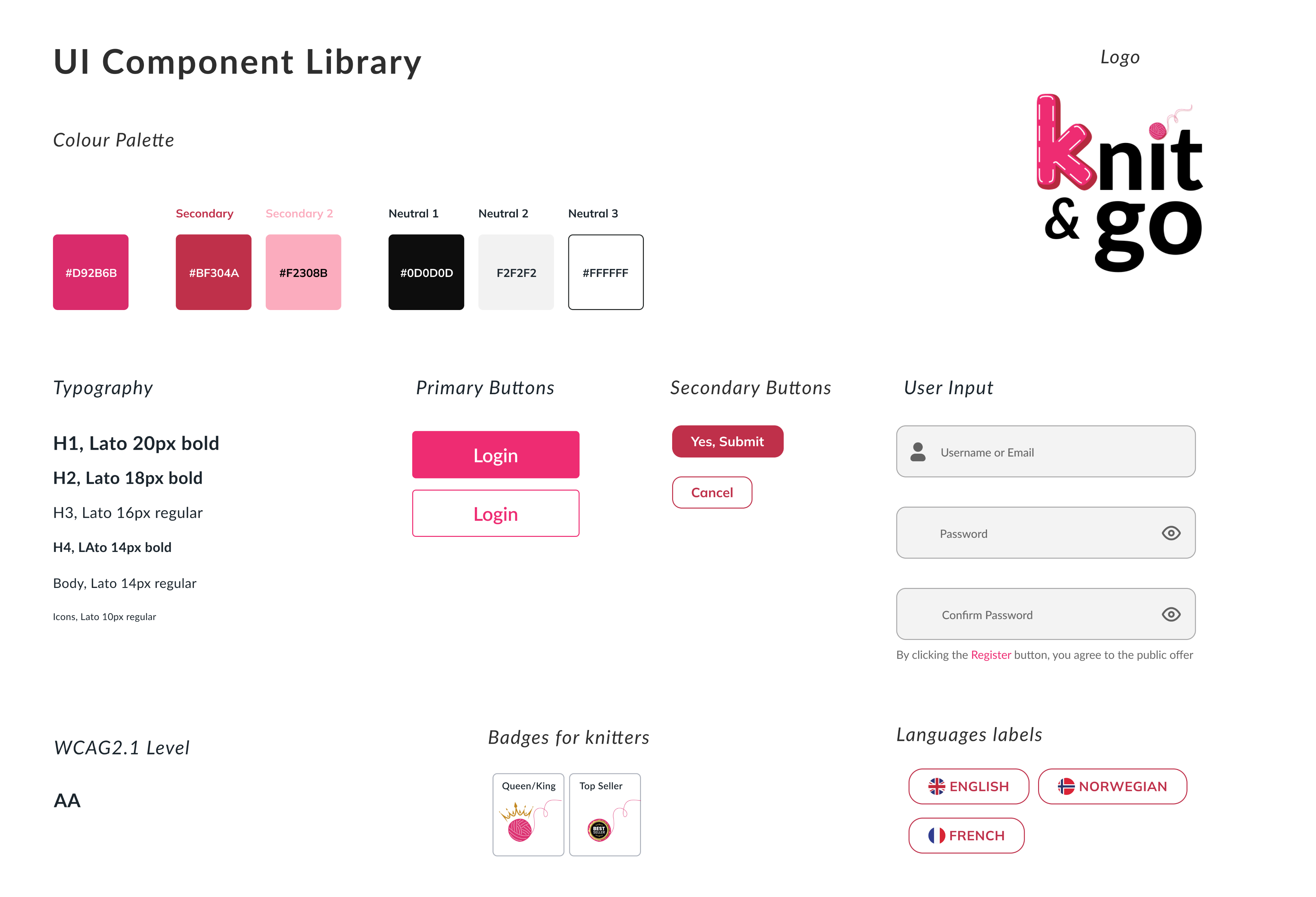
Brand Identity
First of all, I’ve explored potential naming solutions and marks for my logo. Eventually, I’ve decided to go for the Knit&Go, with the yarn making it more in the vibe.
05 / Deliver
Testing & Implementation
I tested my designs and refined features based on user feedback.
Project Prototype
06 / Takeaway
Takeaway
This project reinforced the importance of iterative design, real user feedback, and creating an experience that balances fun, functionality, and usability. Knit&Go is more than just an app—it’s a space where creativity, learning, and community come together. 🧶✨
🚧 Challenge Faced
- Balancing Simplicity & FunctionalityEnsuring the app remained beginner-friendly while also offering advanced tools for experienced knitters.
- Community EngagementDesigning features that encourage meaningful interactions rather than passive content consumption.
- Marketplace IntegrationCreating a smooth user experience for both buyers and sellers while maintaining trust and security.
- User Research & IterationUnderstanding diverse user needs and refining features based on real feedback.
💡 Lesson Learned
- User-Centered Design is KeyPrioritizing user research helped align business goals with real needs, ensuring a valuable experience for both beginners and professionals.
- Gamification Boosts EngagementBadges, challenges, and progress tracking motivate users to stay engaged and improve their skills.
- Simplicity WinsWhile feature-rich platforms are tempting, focusing on intuitive and accessible design is what truly drives adoption.
- Community is EverythingUsers are more likely to stay active when they feel connected to others, making social interaction a crucial element.
Next project